Compare the same match. After you both finish.
When a racket match is completed or retired, both players can stand together and share that match by QR. The code belongs to the match on the screen. Nothing is sent while the match is still being played.
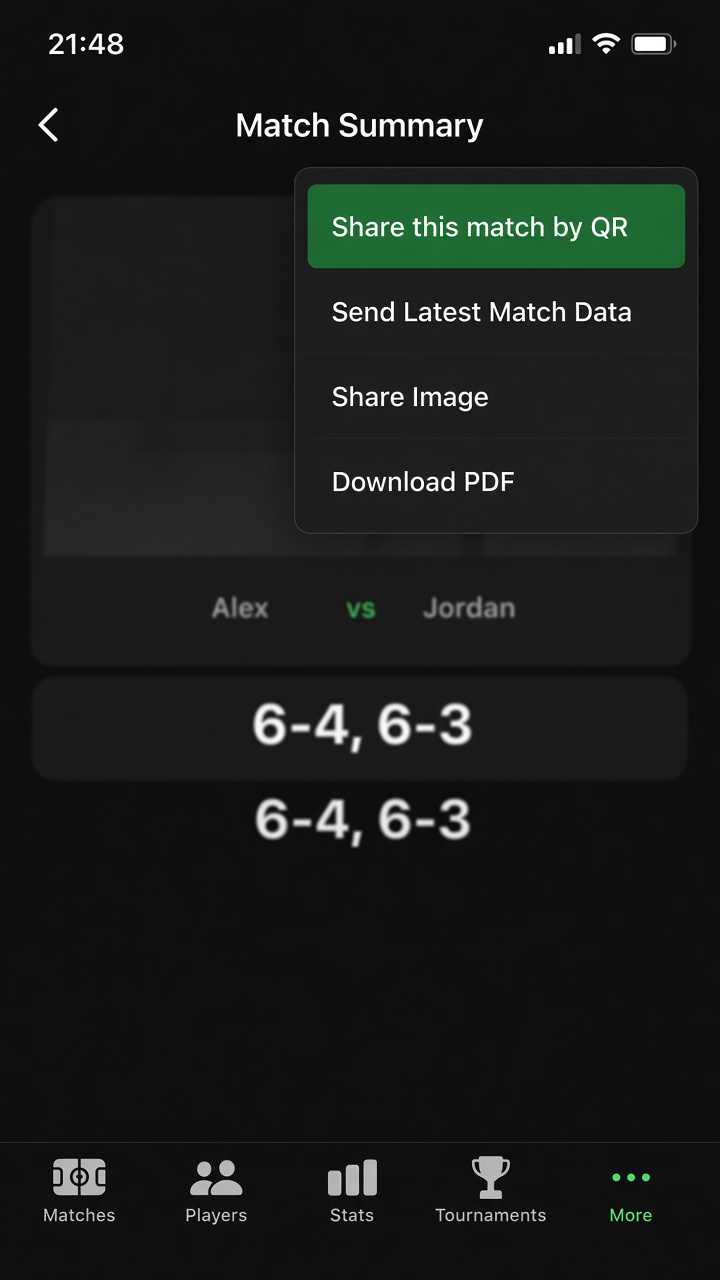
Start from that match
Open the finished match summary, tap Share, and choose Share this match by QR. Scanning happens on that same screen. The Matches list does not offer a global scanner, and you do not pick a different match to attach the code to.
- Available only after the match is completed or retired.
- Tennis, Padel, Beach Tennis and Badminton. Both phones need a finished match with the same scoring setup.
- The QR is a short-lived pairing code for this match. It expires after 10 minutes. Use Refresh this match's QR to make a new one. The points themselves travel after the phones connect, not inside the code.
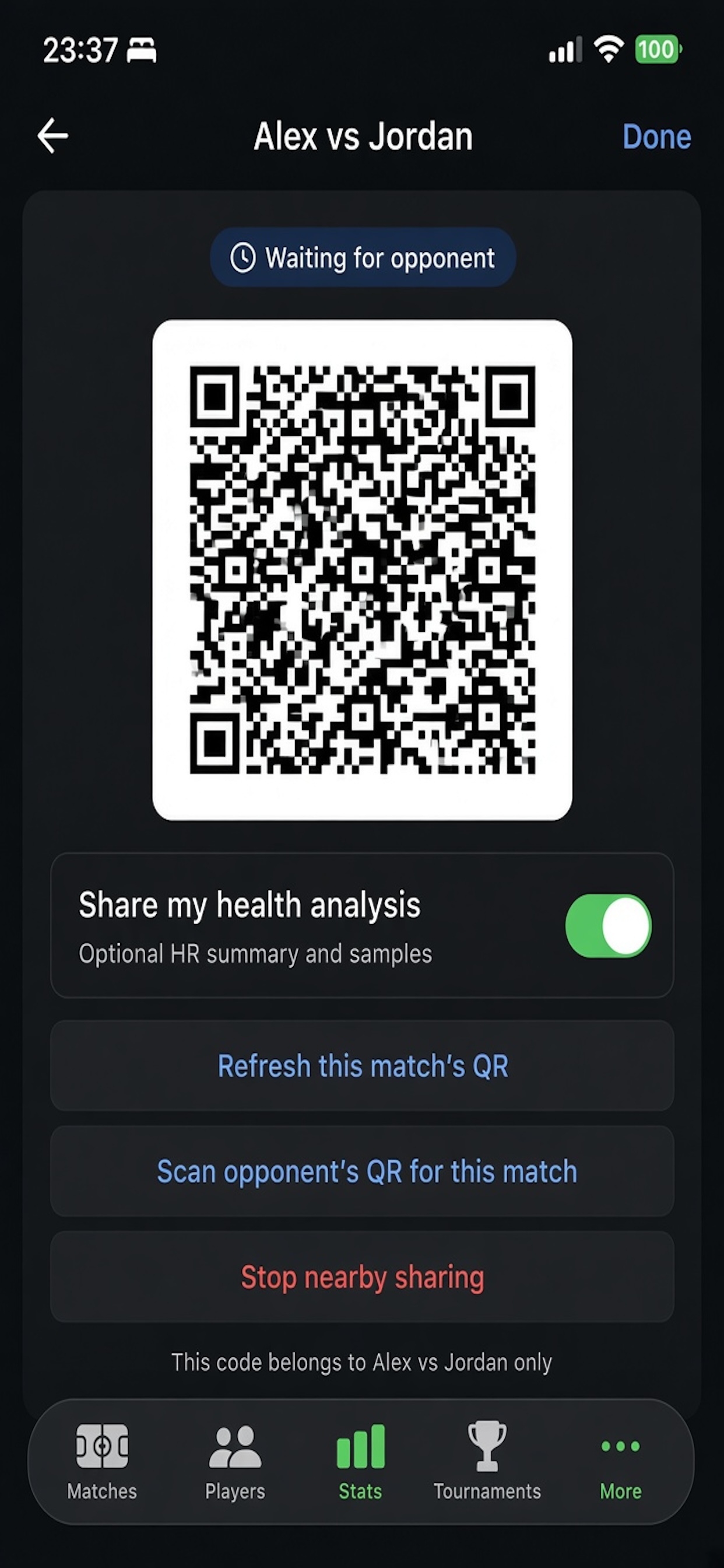
1. Waiting
Your phone shows this match's QR and waits. The other player opens the same finished match on their phone. You can also scan their code from Scan opponent's QR for this match. Stop nearby sharing closes the session.
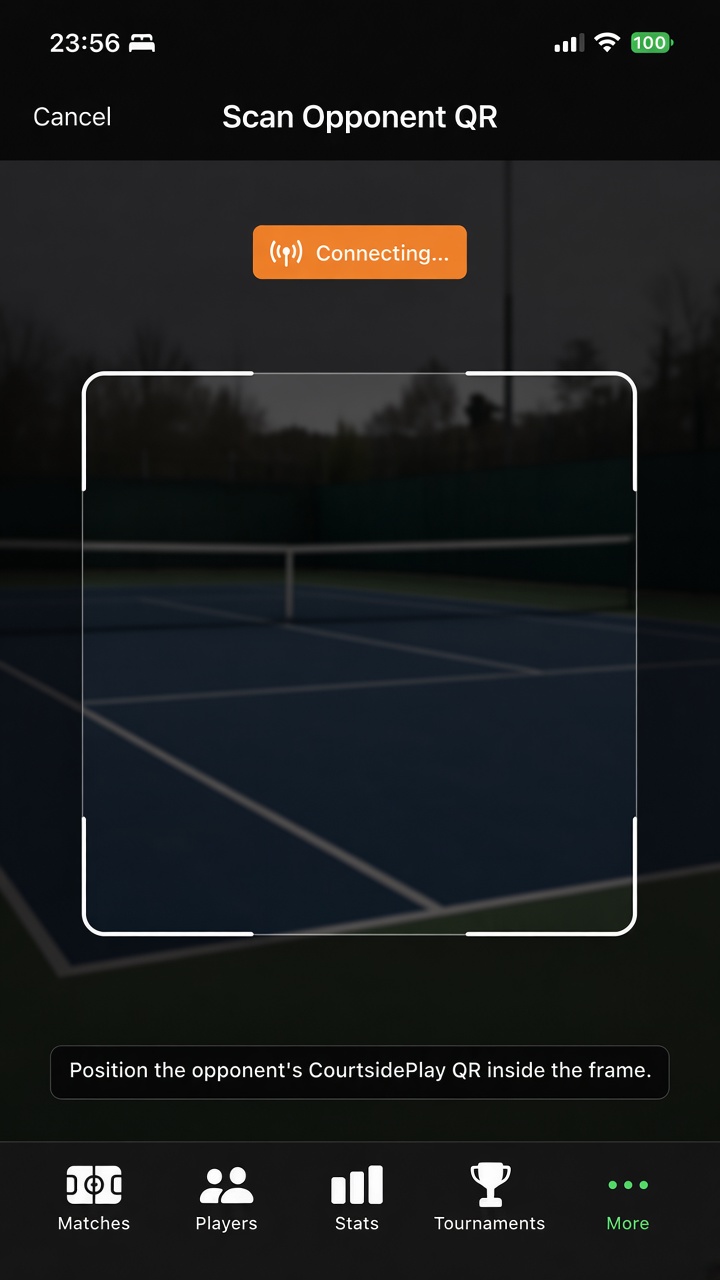
2. Connecting
The scan is bound to the match already on screen. The phones then connect nearby and exchange that match. The link is encrypted and stays between the two phones. If the scoring setup does not match, the scan is refused.
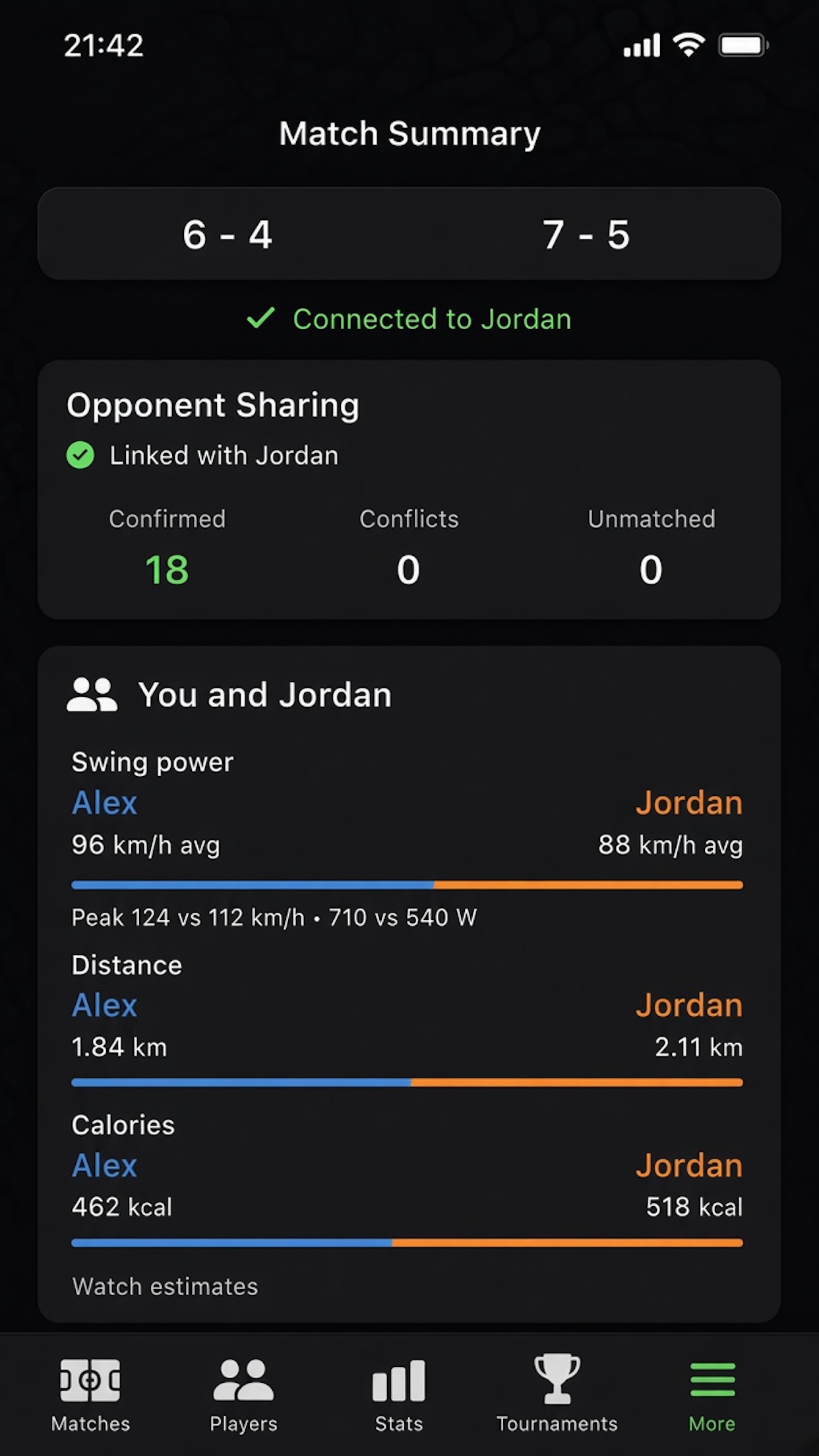
3. Compared
The match summary then shows what each phone recorded for this match.
- Point agreement — points both phones recorded the same way, conflicts, and points only one phone has.
- Opponent shots on the Shots pane.
- Heart rate, when that player includes health.
- Effort on Overview — swing power (average and peak racquet speed, plus estimated watts), distance covered and calories. Distance and calories need health sharing. If health was not shared, those rows say Not shared.
Your swing power uses the height and weight saved on your player. The opponent's racquet speed uses a standard body of 175 cm and 70 kg, because height and weight are not part of the share.
Nearby, and only when you choose
Both phones need to be near each other after the match. Health data is optional on the share sheet and is not written back to Apple Health. CourtsidePlay does not send this match to a server. This flow is separate from Watch to iPhone sync, which moves your own match between your watch and your phone.
Get CourtsidePlay
Every feature on this page is built in. Download once and compare your next finished match.