Fuel Every Match Before and After You Play
Build breakfast, lunch, dinner, or a pre/post-match meal in seconds — auto-prepared from your player profile and today's weather, or matched from a photo of what's in your kitchen. Every suggestion respects your allergies and calorie target, drawn from a curated recipe library that lives entirely on your device.
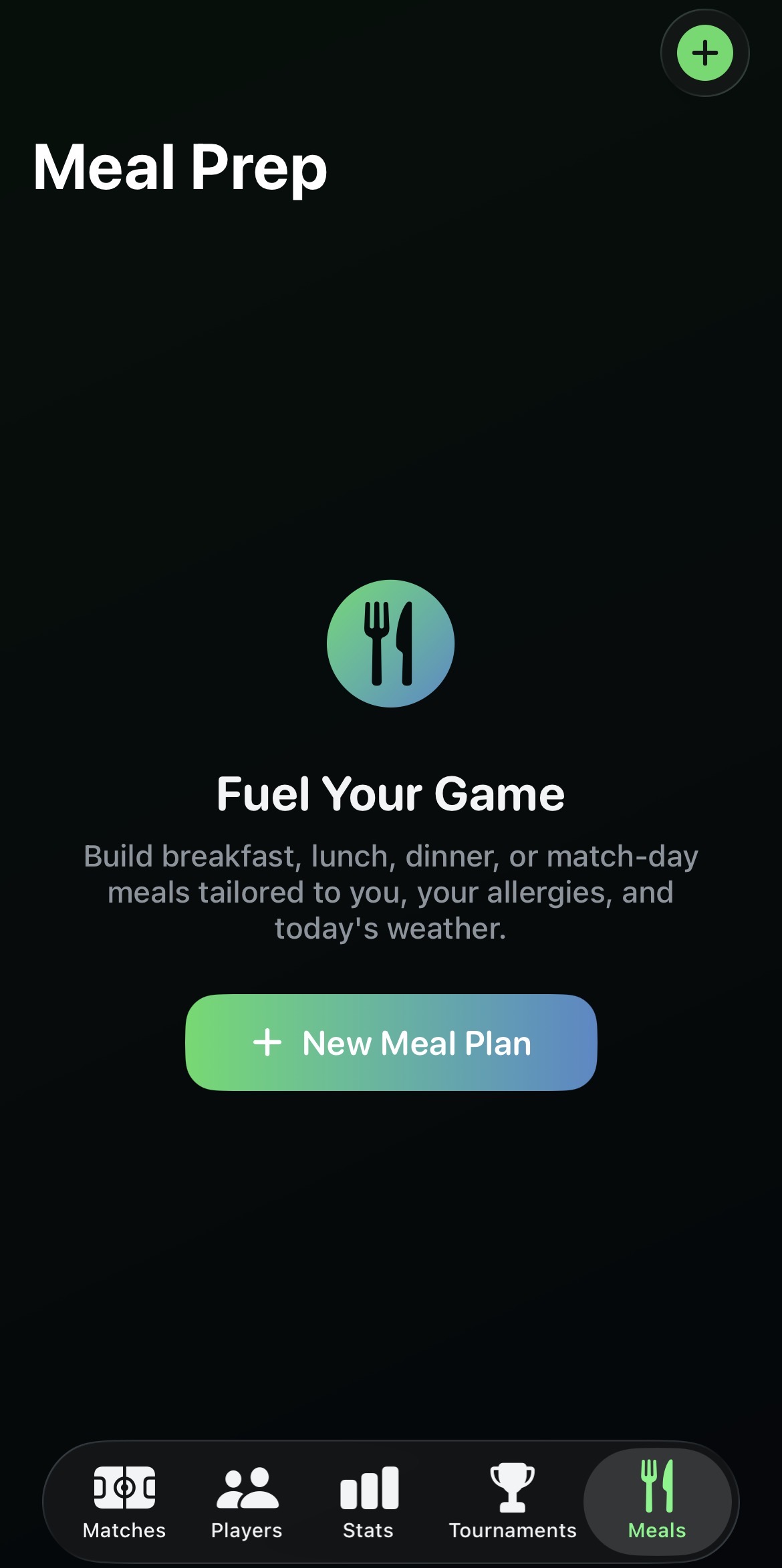
A dedicated Meals tab
Meal Prep lives right in the main tab bar, alongside Matches, Players, Stats and Tournaments. Every plan you generate can be saved, so your Meals list becomes a running history of what you ate around your matches — tap any saved plan to see it again.
- One tap on New Meal Plan starts the guided flow.
- Saved plans keep the full recipe, nutrition numbers and rationale.
- Swipe to delete any saved plan you no longer need.
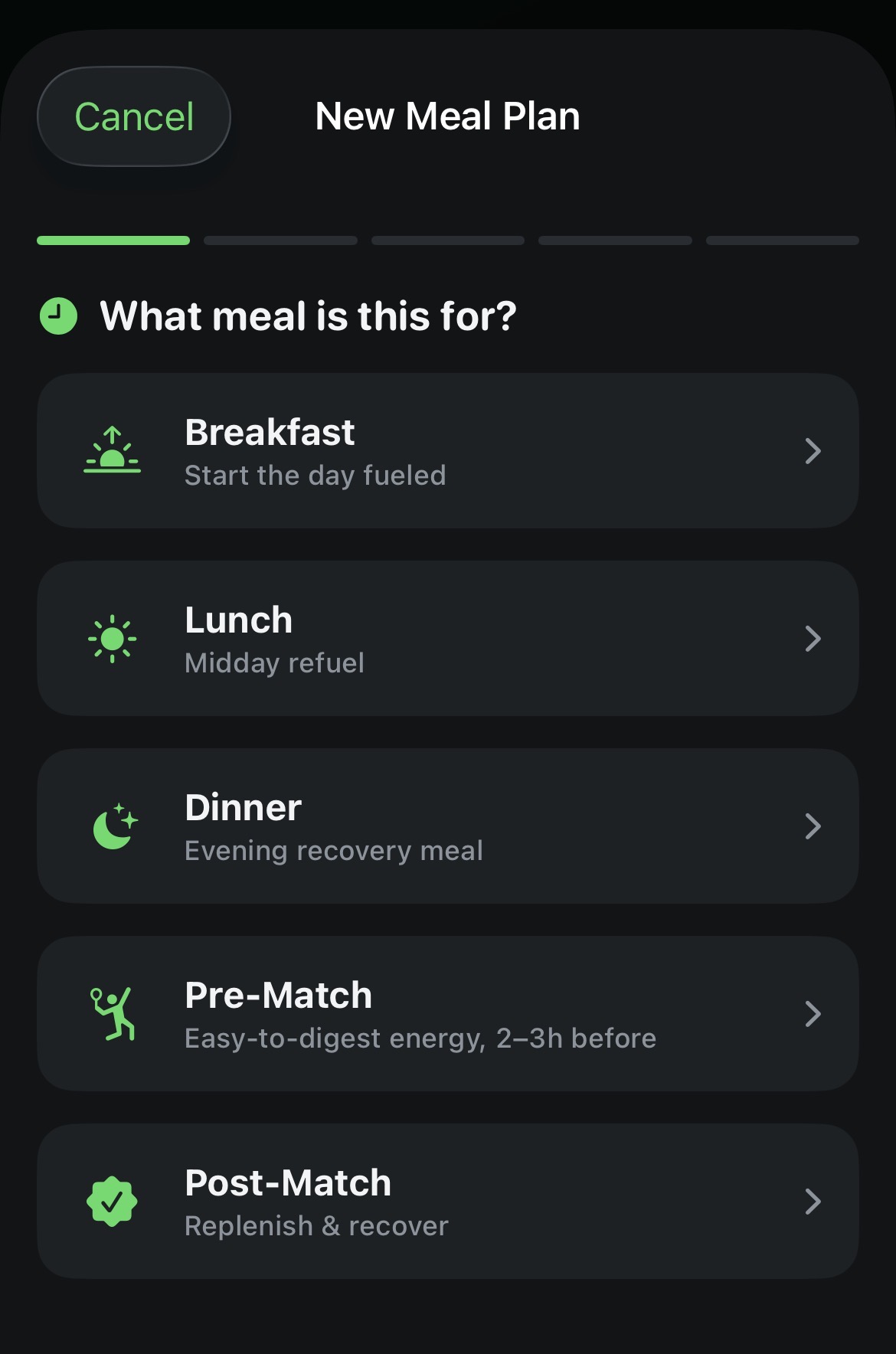
Every occasion, from breakfast to recovery
The flow starts by asking what the meal is for: Breakfast, Lunch, Dinner, Pre-Match, or Post-Match. That choice drives everything downstream — pre-match suggestions lean high-carb and easy to digest, while post-match options prioritise protein and carbs for recovery.
- Pre-Match: easy-to-digest energy, timed 2–3 hours before you play.
- Post-Match: replenish and recover, built around protein and carbs.
- Breakfast, Lunch and Dinner each get their own calorie share of your day.
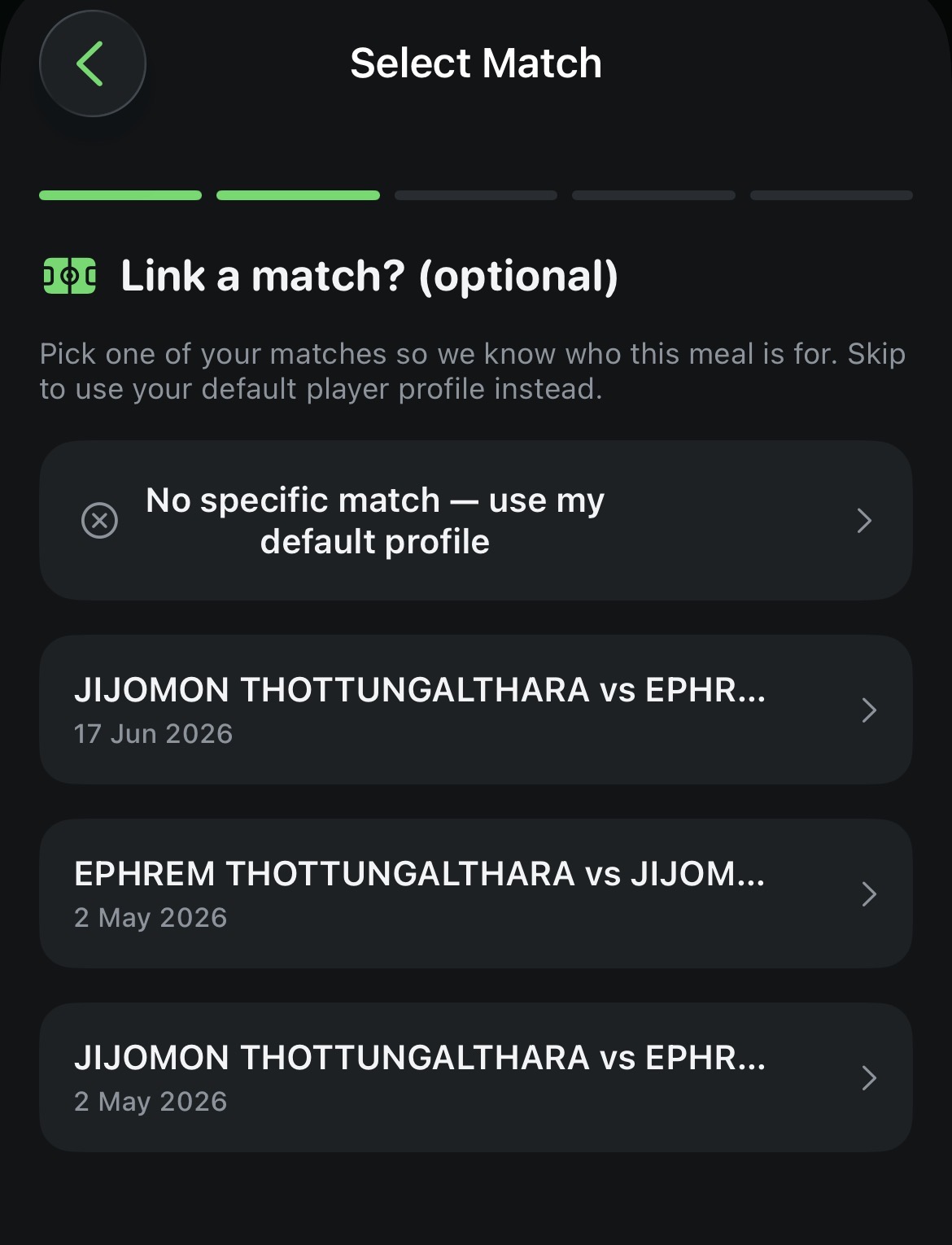
Link it to a match, or use your default profile
Optionally pick one of your existing matches so the plan knows exactly who it's for. Skip it and CourtsidePlay falls back to your default Apple Watch profile — either way, the plan uses that player's height, weight, biological sex and allergies to size the calorie target correctly.
- Matches list shows opponent and date, sorted most recent first.
- No match created yet? The flow works just as well from your profile alone.
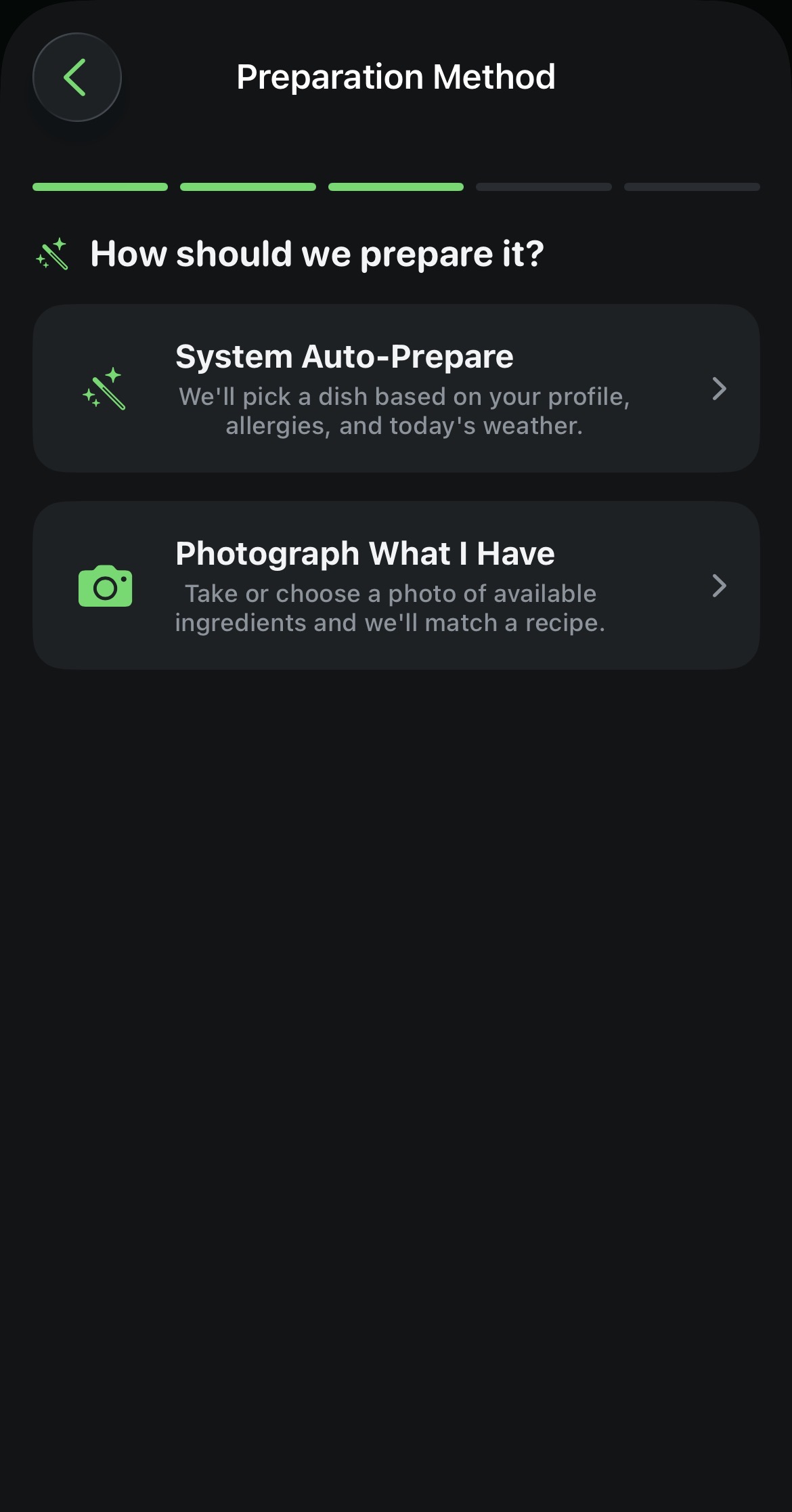
Two ways to build the plan
Choose System Auto-Prepare and a rule-based engine picks a dish from the built-in recipe library based on your profile, allergies and today's weather. Or choose Photograph What I Have, snap or pick a photo of your ingredients, and Apple's on-device Vision framework identifies what it can — you confirm or edit the list before a matching recipe is chosen.
- No LLM, no cloud call — the recipe catalog and image classifier both run on-device.
- Take a photo with the camera or pick one from your library.
- Detected ingredients are editable chips — add or remove before generating.
- Set an optional calorie limit on either path — leave it blank to use a calculated target.
Where the recipes and numbers actually come from
Meal Prep is not connected to an official nutrition website, a public recipe API, or an AI/LLM of any kind. Every one of the roughly 55 recipes — about 47 mains across Breakfast, Lunch, Dinner, Pre-Match and Post-Match, plus 8 side dishes — is curated by the CourtsidePlay team specifically for racket-sport players, and ships built into the app itself. Each recipe carries its own calories, protein, carbs, fat, prep time, allergen list, dietary tags and step-by-step instructions, all stored on your device.
Calorie targets are not looked up from a recipe — they're calculated. CourtsidePlay estimates your Basal Metabolic Rate with the well-established Mifflin-St Jeor formula (10 × weight in kg + 6.25 × height in cm − 5 × age, +5 for men / −161 for women), multiplies it by an activity factor — 1.5 on a normal day, 1.7 on a match day, since competitive play sits well above a sedentary baseline — and splits the resulting daily figure across occasions (25% breakfast, 35% lunch, 30% dinner, 20% pre-match, 20% post-match). The engine then picks the recipe that fits that target most closely, honouring your allergies and today's weather. You can always override the suggested number with your own calorie limit.
Reference: Mifflin MD, St Jeor ST, et al., "A new predictive equation for resting energy expenditure in healthy individuals," American Journal of Clinical Nutrition, 1990.
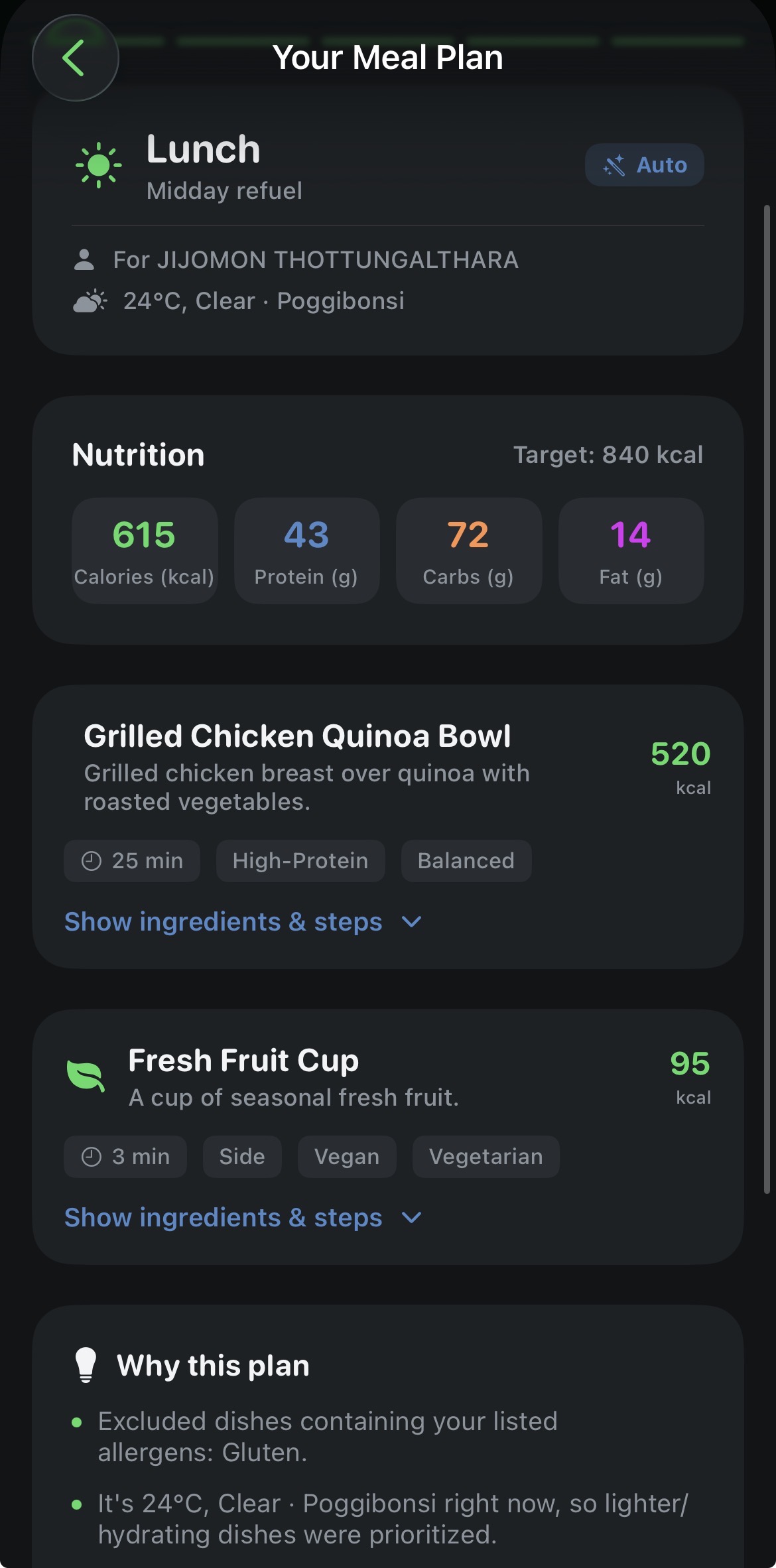
A full nutrition breakdown, and the reasoning behind it
Every generated plan shows the target calories against what was actually chosen, split into calories, protein, carbs and fat, plus the local weather at generation time. Each recipe card lists prep time, tags like High-Protein or Balanced, any allergens it contains, and expandable ingredients and step-by-step instructions.
- A "Why this plan" card explains every decision in plain English — allergy exclusions, climate adjustments, calorie fit.
- A side dish is added automatically when there's meaningful calorie headroom left.
- Hot or humid weather nudges suggestions toward lighter, hydrating dishes; cold weather favours warming ones.
- Happy with the result? One tap saves it to your Meals list for later.
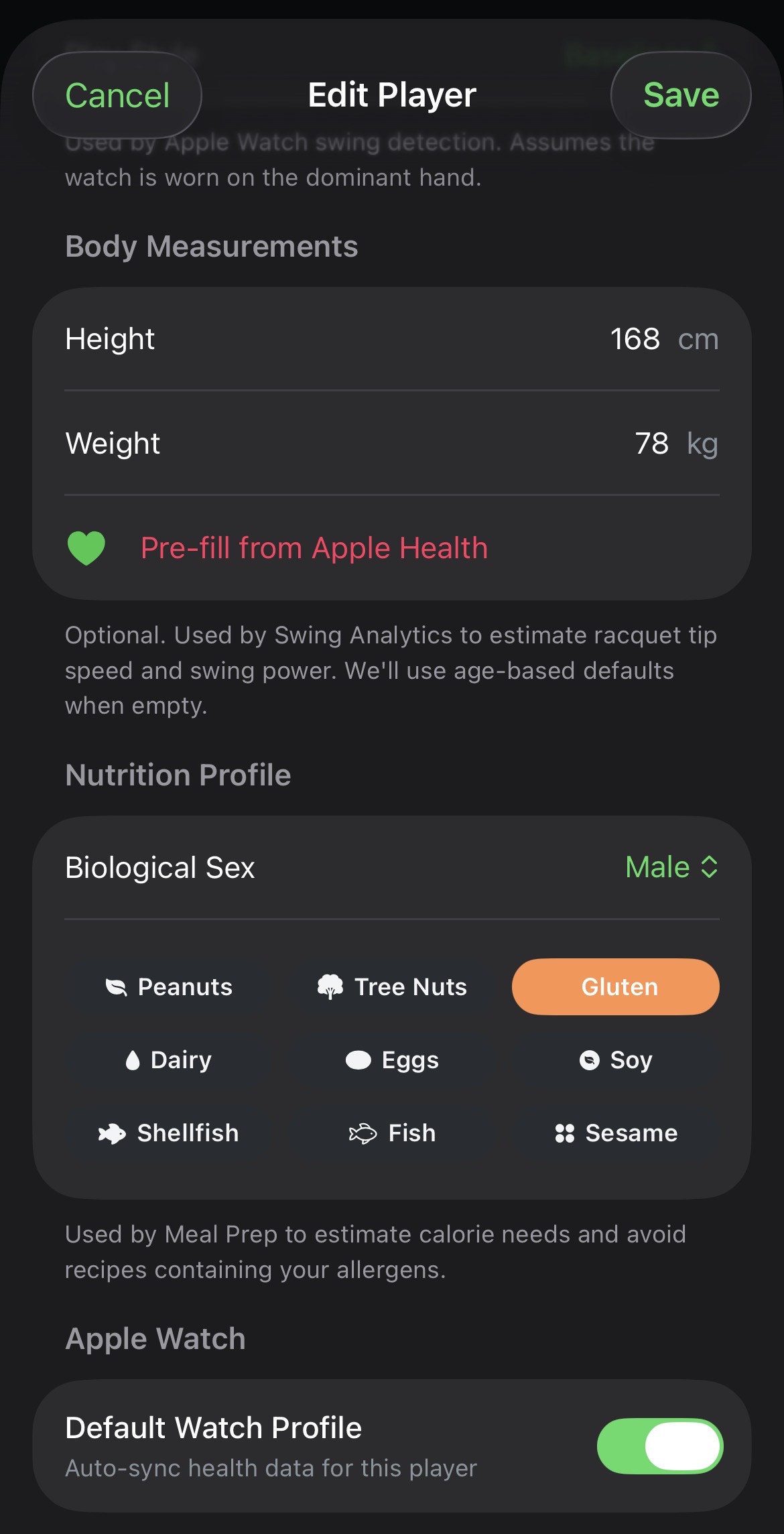
Your allergies and biology, built into your profile
Every player profile has a Nutrition Profile section: biological sex, plus toggleable allergies covering peanuts, tree nuts, gluten, dairy, eggs, soy, shellfish, fish and sesame. Combined with height and weight, this powers a Mifflin-St Jeor calorie estimate and is designed to screen out suggested recipes tagged with, or matching keywords for, the allergens you select.
- Nine common allergies, each with a clear icon and one-tap toggle.
- Allergy filtering also scans ingredient names, not just an allergen tag — a safety net for near-matches.
- No profile set up yet? Meal Prep falls back to sensible adult defaults.
- Important: this filtering is a best-effort safety net, not a guarantee — it cannot catch every ingredient, substitution or cross-contact risk. Always verify ingredients yourself before eating, especially for severe allergies. See our Terms of Use.
Privacy: your kitchen photo never leaves your phone
Photo-based ingredient detection runs entirely on-device using Apple's Vision framework — nothing is uploaded, and there's no LLM or cloud service involved anywhere in Meal Prep. The recipe library ships with the app and is filtered locally against your allergies, calorie target and today's weather. Calorie and macro figures are practical estimates using the well-established Mifflin-St Jeor formula, not clinical or medical advice — always consult a doctor or sports dietitian for individual guidance, especially around allergies.
Full disclaimers and limitations apply — see our Terms of Use.
Get CourtsidePlay
Every feature on this page is built in. Download once and start analysing your next match.