Know What You’re Playing With, And When to Change It
A dedicated logbook for racquets, strings, grips, overgrips, shoes and outfits — tied to your Default Watch Profile. Add gear manually or with optional photo assist, assign it to matches, track restrings and tension, and see a green–yellow–orange–red usage graph so you know when string is getting tired or a restring is due. Entirely on-device.
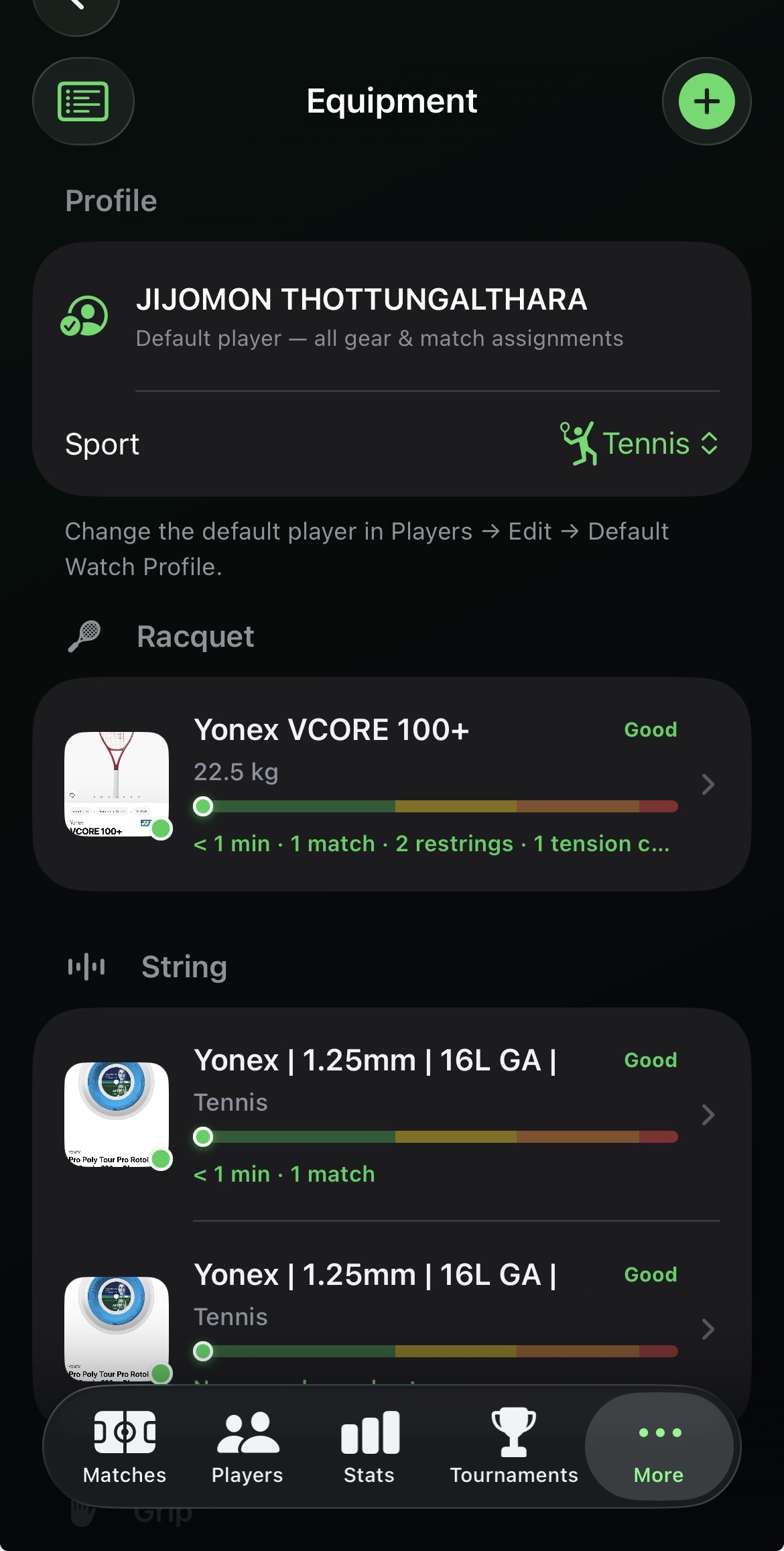
Your gear, listed by category with a usage graph
Equipment lives under More, scoped to your Default Watch Profile player and filtered by sport (Tennis, Padel, Beach Tennis, Badminton). Each item shows a cover photo, play time from finished matches, and a colour-coded usage meter — green (good), yellow (watch), orange (high wear), red (replace / restring soon) — so string hours and racquet mileage are obvious at a glance.
- Categories: Racquet, String, Grip, Overgrip, Shoes, Outfit.
- Phone notifications when wear crosses caution / warning / critical bands.
- Soft-delete hides gear from the main list while keeping history.
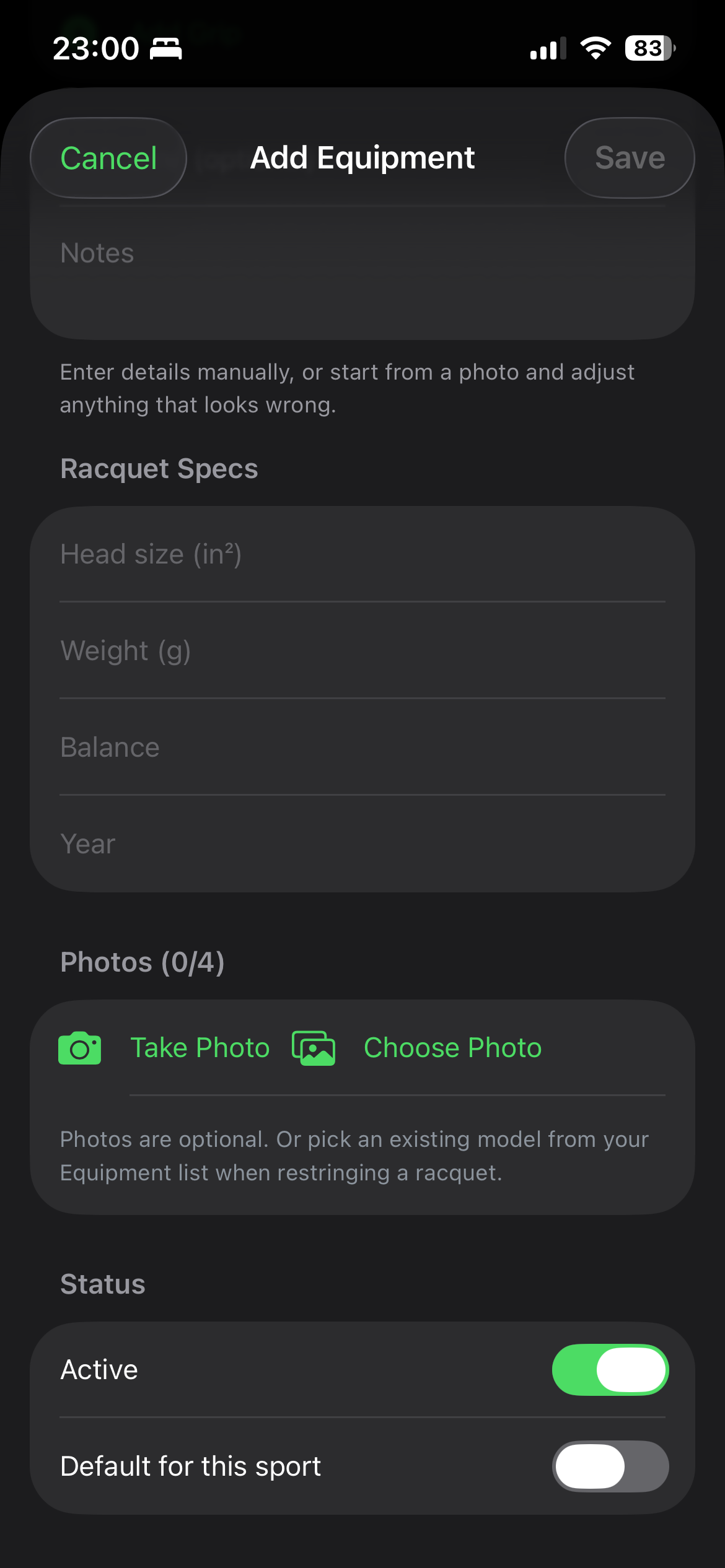
Add gear manually — photos are optional assist
Every field stays editable: brand, model, nickname, racquet head size, weight, balance, year, string type and gauge, shoe size, and more. Optionally take or choose up to four photos — logo, model tag, size label, packaging — and on-device OCR + classification can suggest category, brand, model and size. You choose the cover photo for listings. Photos are never required; when restringing, pick an existing string from your list instead of shooting a new one.
- Up to 4 photos per item; tap any to set it as the listing cover.
- Suggestions are hints you can keep or change before Save.
- Mark Active and Default for this sport for quick match assignment.
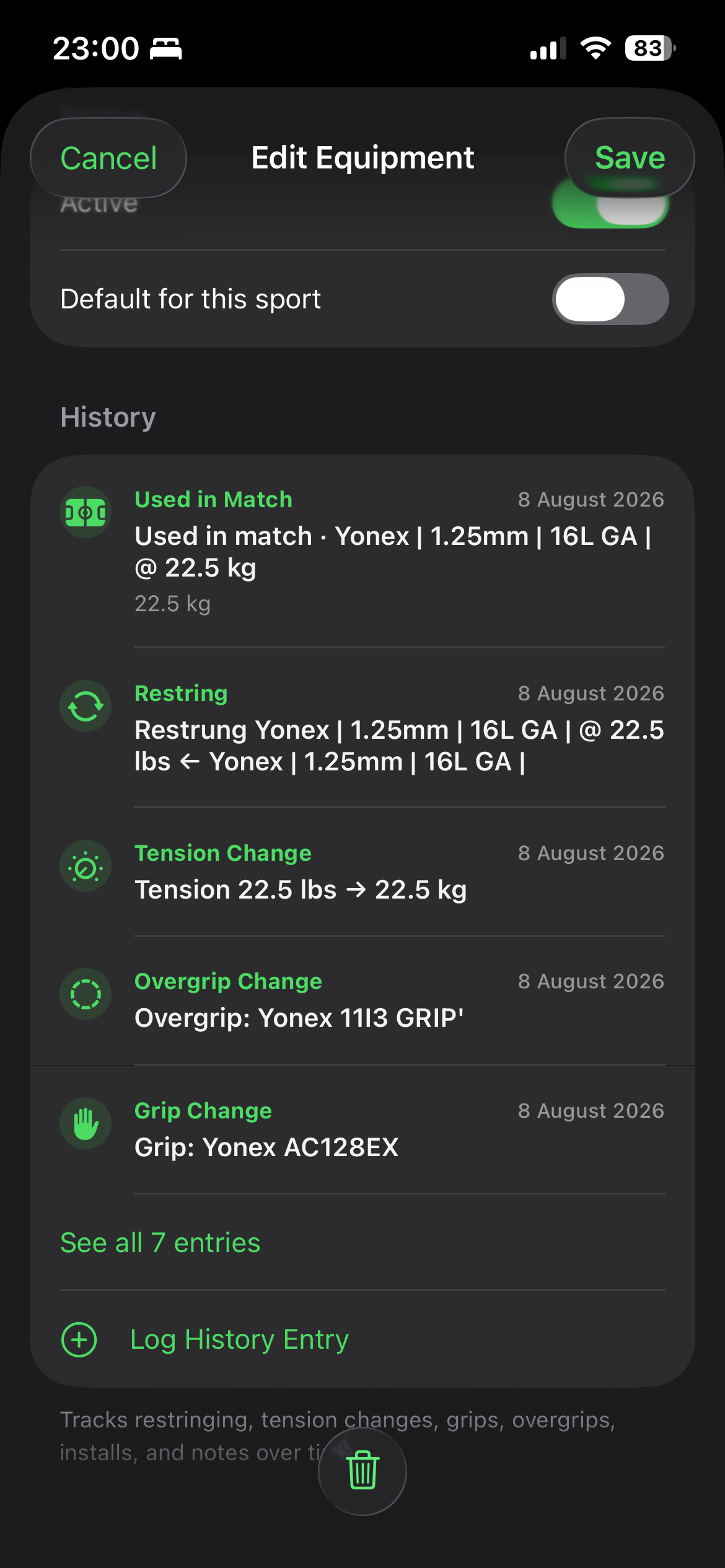
Racquet setup, restring history, and match use
On a racquet, choose the string, grip and overgrip already in your Equipment list — brand, model and specs are copied from that item, with no new photo required. Set tension and strung date; saving logs restring, tension, grip and overgrip changes automatically. When you create a match you can optionally assign gear for the default player. Finished matches feed play hours into the usage graph and history.
- History timeline: match use, restring, tension, grip, overgrip, installs and notes.
- Log a history entry manually any time from the detail screen.
- After a restring, wear alerts can fire again for the new string job.
What the colour graph means
Play hours come from finished matches where that gear was assigned (wall-clock duration, with a sensible estimate if duration is missing). Polyester string typically moves to yellow around 5 hours, orange around 8 hours (higher break risk), and red around 12 hours. Multi / gut last longer; overgrips, grips and shoes use their own thresholds. Status labels — Good, Watch, High, Replace — match the meter colour on every list row and detail screen.
Privacy: on-device, from photos to history
Photo assist uses Apple Vision on your device — no upload of gear photos to a server for identification. Inventory, match assignments, history and wear calculations live in the app’s local SwiftData store. Optional match gear is stored with the match on your phone. There is no cloud account required for the Equipment logbook.
Get CourtsidePlay
Every feature on this page is built in. Download once and start logging the gear you actually play with.